
Countdown Timer – Free Minute & Hour Timers for Every Need
Managing time effectively has never been more important in our fast-paced world. Whether you're studying for exams, conducting meetings, exercising, or cooking dinner, a reliable countdown timer helps you stay focused and productive. Our free online countdown timer offers customizable durations from one minute to multiple hours, providing the structure you need without the complexity you don't want.
Unlike apps requiring downloads or accounts, our browser-based countdown timer works instantly on any device. Set your preferred duration, click start, and let the visual countdown keep you on track. With features including sound alerts, fullscreen mode, and mobile optimization, this tool adapts to your workflow rather than forcing you to adapt to it.
Quick Start: Popular Timer Options
Timer Duration | Best For | Quick Start |
|---|---|---|
Quick tasks, micro-breaks, rapid exercises | Perfect for speed challenges and instant resets | |
Meditation, coffee breaks, email sprints | Ideal for focused bursts without commitment | |
Classroom activities, workout circuits, tidying | Balances focus time with manageable duration | |
Deep work sessions, skill practice | Extended focus for complex tasks | |
Reading sessions, creative writing | Sustained attention for learning activities | |
Pomodoro technique, study blocks | Research-backed optimal focus duration | |
Presentations, cooking, fitness routines | Standard session length for most activities | |
Lectures, detailed project work | Professional-length focus periods | |
Meetings, exams, extended training | Full session for comprehensive tasks | |
Custom Timer | Any duration you need | Set hours, minutes, and seconds precisely |
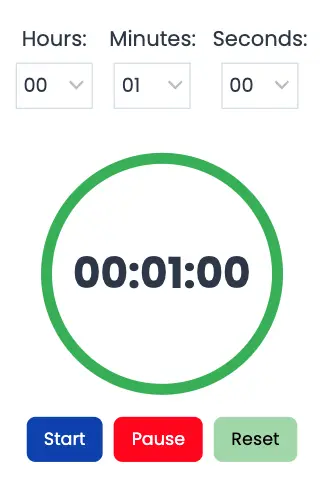
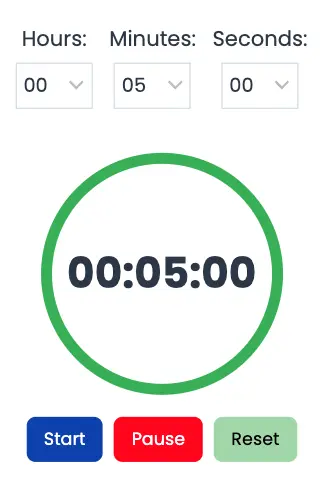
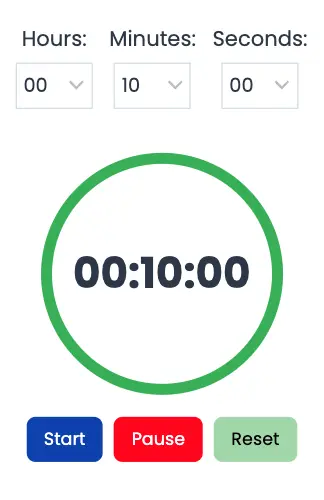
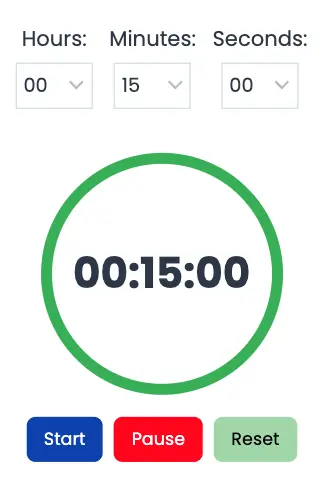
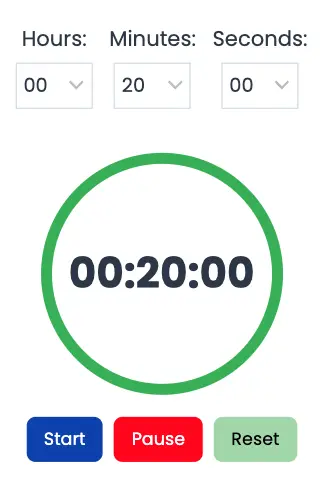
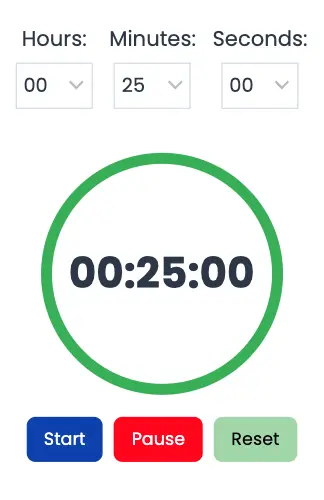
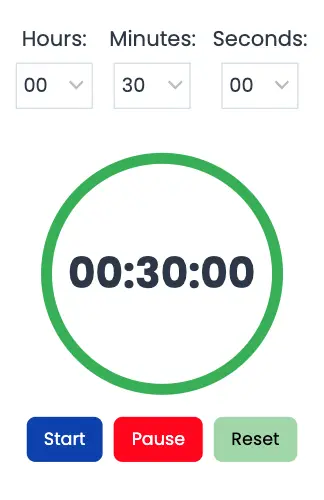
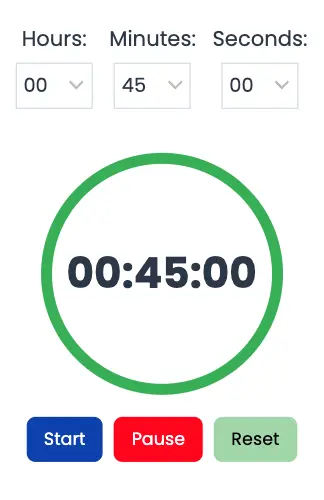
What Is a Countdown Timer and How Does It Work?
A countdown timer is a digital tool that displays the remaining time for a specific duration you've set. Starting from your chosen time (such as 25 minutes), the timer counts backward to zero, providing visual feedback on how much time remains. When time expires, the timer alerts you through sound, visual notifications, or vibration on mobile devices.
How Our Countdown Timer Works
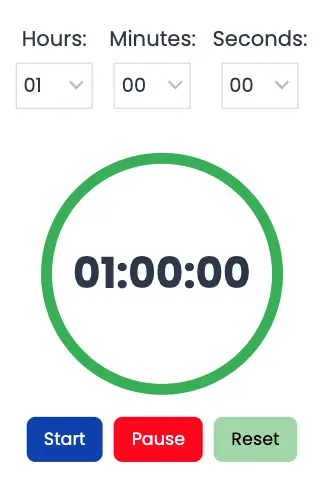
- Use the dropdown menus or input fields to select hours, minutes, and seconds
- Choose from preset durations (1, 5, 10, 25, 30 minutes, or 1 hour) for instant setup
- Adjust custom durations for specific needs like 17 minutes or 2 hours 30 minutes
- Click the "Start" button to begin your timer
- The countdown displays prominently on screen with clear numbers
- Visual progress indicators show time remaining at a glance
- Pause the timer anytime by clicking "Pause" to take unplanned breaks
- Resume counting from where you left off with another click
- Reset or delete the timer to start over with a new duration
- Enable fullscreen mode for distraction-free visibility
- Receive sound notifications when time expires
- Choose from multiple alarm tones or use silent mode
- Mobile users can enable vibration alerts for discrete notifications
- Visual alerts flash on screen even if sound is muted
Why Use an Online Countdown Timer?
Works on Every Device
Our countdown timer functions seamlessly across platforms:
- Desktop computers (Windows, Mac, Linux)
- Laptops and notebooks
- Tablets (iPad, Android tablets)
- Smartphones (iPhone, Android)
- Smart TVs with web browsers
Flexible Customization
Adjust every aspect to match your preferences:
- Set any duration from 1 second to 99 hours
- Choose alarm sounds or work silently
- Enable or disable vibration on mobile
- Switch to fullscreen for presentations or public displays
- Adjust volume levels independently
No Download or Installation Required
Access your countdown timer instantly through any web browser. No app store visits, no storage space consumed, and no update reminders interrupting your workflow. Simply load the page and start timing.
Free and Privacy-Friendly
No registration, no hidden fees, and no data collection. Your timing sessions remain private, with no tracking of what you're working on or how you use the tool.
Professional Features
Despite being free, our timer includes capabilities that rival paid applications:
- Continues running in background tabs
- Works offline after initial page load
- Share specific timer links with teams
- Multiple timers can run simultaneously in different tabs
- Keyboard shortcuts for quick control
Countdown Timer Duration Guide: When to Use Each Timer
1-2 Minute Timers: ⚡ Micro-Tasks and Quick Resets
Best Uses:- Social media breaks (limit scrolling)
- Tooth brushing (dentists recommend 2 minutes)
- Plank exercises and wall sits
- Speed cleaning challenges
- Quick brainstorming bursts
- Transition time between activities
Why It Works: Our brains can maintain optimal focus for about 20-45 minutes before experiencing fatigue, but ultra-short timers serve different purposes. They create urgency that prevents dawdling on tasks you might otherwise avoid.
5 Minute Timers: 🎯 The Productivity Sweet Spot
Best Uses:- Overcoming procrastination on daunting tasks
- Email processing sprints
- Desk organization and tidying
- Meditation and breathing exercises
- Coffee or tea brewing
- Quick journaling sessions
- Elevator pitch practice
- Speed reading exercises
The Science: Five minutes creates low psychological resistance. When facing a task you've been avoiding, committing to just five minutes removes the intimidation factor. Most people continue working beyond the initial five minutes once they've started, making this duration ideal for breaking through procrastination.
10 Minute Timers: ⚖️ Balanced Focus Sessions
Best Uses:- Classroom activities and exercises
- HIIT (High-Intensity Interval Training) workouts
- Team stand-up meetings
- Child timeout periods
- Focused studying for difficult concepts
- Cooking prep work
- Pet play sessions
- Morning routine segments
Why Ten Minutes: This duration balances meaningful progress with sustainable attention. It's long enough to accomplish tangible results but short enough to maintain maximum concentration throughout.
15 Minute Timers: 🧠 Deep Focus Blocks
Best Uses:- Writing sessions for articles or essays
- Creative brainstorming without editing
- Language learning practice
- Instrument practice sessions
- Professional phone calls
- Client consultation blocks
- Art and drawing exercises
- House cleaning individual rooms
Application: Fifteen minutes provides sufficient time for depth while remaining manageable. This duration works well when you need to think deeply about a problem or practice a skill with full attention.
25 Minute Timers: 🍅 The Pomodoro Standard
Best Uses:- Academic studying and exam preparation
- Professional writing and coding
- Complex problem-solving
- Focused reading of technical material
- Data analysis and research
- Project planning sessions
- Creative design work
- Learning new software or tools
The Research Behind It: Francesco Cirillo coined the term "pomodoro" in the late 1980s after the tomato-shaped timer he used as a university student. Research shows that students taking systematic 6-minute breaks after every 24-minute study block experienced less fatigue and maintained higher concentration compared to those taking self-regulated breaks. The structured break pattern proved more efficient, with participants completing tasks in less total time.
30 Minute Timers: 💼 Standard Professional Sessions
Best Uses:- Team meetings and updates
- Fitness classes and workout routines
- Cooking full meals
- Podcast recording sessions
- Tutorial and how-to content creation
- Focused study blocks with detailed notes
- Client presentations
- Webinar segments
Industry Standard: Thirty minutes has become a default duration in many professional contexts because it balances substance with respect for people's time. It's long enough for meaningful discussion but short enough to maintain engagement.
45-60 Minute Timers: 🚀 Extended Deep Work
Best Uses:- University lectures and classes
- Comprehensive project work
- Novel or long-form writing
- Complex coding or development
- Detailed research and analysis
- Executive meetings with multiple topics
- Thorough creative sessions
- Exam completion (when timed)

Deep Work Application: These longer durations suit what productivity researcher Cal Newport calls "deep work"—cognitively demanding tasks requiring sustained concentration. Studies show that it takes an average of 23 minutes to regain full focus after being interrupted, making uninterrupted hour-long sessions particularly valuable for complex work.
The Science of Countdown Timers: Why They Boost Productivity
Time Scarcity Creates Urgency
When you see time counting down, your brain perceives scarcity, triggering heightened focus. This psychological phenomenon, known as the urgency effect, increases motivation and reduces procrastination. The visible timer serves as a constant, gentle reminder that time is limited, encouraging you to make the most of each moment.
Reduces Decision Fatigue
Without a timer, you constantly make micro-decisions: "Should I keep working? Should I take a break? How much longer should I go?" Each decision depletes mental energy. A countdown timer eliminates these questions by providing structure. You've decided in advance how long you'll work, freeing your mind to focus entirely on the task.
Prevents Cognitive Overload
Research in cognitive psychology suggests that multitasking can lead to a 40% decline in productivity due to the brain's inability to process multiple streams of information efficiently. Single-tasking with a timer commits you to one activity, reducing cognitive load. Your brain engages more fully when it's not splitting attention across multiple tasks.
Creates Sustainable Work Rhythms
Research shows it can take up to 25 minutes to return to a focused state after interruption. Structured timing prevents both external interruptions (by signaling you're unavailable) and internal interruptions (by committing to a specific duration). The rhythm of work sessions followed by breaks creates a sustainable pattern that prevents burnout.
Leverages the Zeigarnik Effect
Psychological research demonstrates that our brains remember unfinished tasks more vividly than completed ones. Starting a timer initiates a task, even if you don't finish within that period. This creates mental momentum that makes it easier to resume later, as your brain naturally wants to complete what it started.
Builds Consistency Through Habit Formation
Neuroscience research on habit formation shows that consistent timing creates neural patterns. When you regularly use 25-minute work blocks followed by 5-minute breaks, your brain begins anticipating this rhythm. Over time, you'll find it easier to enter focus mode when starting a timer because your brain recognizes the pattern.
Productivity Techniques Using Countdown Timers
The Pomodoro Technique: The Gold Standard
The Pomodoro Technique aims to reduce the effect of internal and external interruptions of focus and flow. Here's how to implement it:
- A pomodoro is indivisible—don't split it or stop early
- If interrupted, either void the pomodoro and restart or postpone the interruption
- Use break time to completely disconnect from work
- Track completed pomodoros to measure daily productivity
- Adjust duration based on your natural focus patterns
- Choose a task you want to work on
- Set a countdown timer for 25 minutes
- Work on the task with full focus until the timer rings
- Take a 5-minute break (stretch, walk, hydrate)
- After four pomodoros, take a longer 15-30 minute break
- 52/17 Method: 52 minutes of work, 17 minutes of break (based on employee productivity tracking data)
- 90-Minute Ultradian Rhythm: Align with natural 90-minute biological cycles for maximum focus
- 30/10 Method: 30 minutes work, 10 minutes break (for tasks requiring more context switching)
Time Blocking with Countdown Timers
Time blocking involves assigning specific time slots to different activities throughout your day. Countdown timers make this practical:
- 6:00-6:30 AM: Morning routine (30-minute timer)
- 6:30-7:00 AM: Exercise (30-minute timer)
- 7:00-7:15 AM: Breakfast (15-minute timer)
- 7:15-8:00 AM: Most important task of the day (45-minute timer)
- Prevents tasks from expanding to fill available time (Parkinson's Law)
- Creates natural transition points between activities
- Provides data on how long tasks actually take
- Reduces context switching by batching similar activities
The Two-Minute Rule with Timers
Productivity expert David Allen suggests that tasks taking less than two minutes should be done immediately rather than added to a list. Use a countdown timer to:
- Verify tasks actually take under two minutes
- Avoid the trap of underestimating small task duration
- Process emails and quick requests efficiently
- Build momentum through rapid task completion
Interval Training for Any Domain
While commonly associated with fitness, interval training applies to cognitive work:
- 10 minutes: Pure writing (no editing)
- 2 minutes: Break
- 10 minutes: More writing
- 5 minutes: Quick revision Repeat this pattern for one hour of highly productive writing.
- 15 minutes: Focused learning or reading
- 5 minutes: Summarize what you learned
- 15 minutes: Apply the concept through practice
- 5 minutes: Break This pattern enhances retention through active recall.
Use Cases by Category: Countdown Timers for Every Situation
For Students and Academic Work
Study Sessions: Use 25-50 minute countdown timers for focused studying. Students using the Pomodoro Technique spent less time studying but were less fatigued and took shorter breaks than students who self-regulated their break time. The structured approach leads to more efficient learning.
- Practice timed essay writing (30-45 minutes)
- Complete practice tests under actual time constraints
- Review flashcards in 10-minute sprints
- Memorize material using 15-minute intensive sessions
- Research phase: 30-minute blocks
- Outline creation: 15-minute session
- First draft: Multiple 25-minute pomodoros
- Revision: 20-minute focused edits
- Individual work periods (25 minutes)
- Discussion and comparison (10 minutes)
- Teaching each other (15 minutes per person)
- Break time (5 minutes)
For Professional Work and Business
- Agenda item discussions (10 minutes each)
- Decision-making periods (5 minutes per decision)
- Brainstorming sessions (15 minutes before evaluation)
- Presentation slots (15-20 minutes per presenter)
- Email processing: 15-minute batches, 2-3 times daily
- Slack/Teams responses: 10-minute windows
- Phone calls: 15-minute scheduled blocks
- Message composition: 5-minute time limits for clarity
- Deep coding sessions: 90-minute blocks
- Creative design: 45-minute focused periods
- Report writing: 30-minute sections
- Data analysis: 25-minute intensive analysis
- Quality review: 20-minute detailed checks
For Fitness and Exercise
- 40 seconds: High intensity exercise
- 20 seconds: Rest
- Repeat for 10-15 rounds (10-15 minute total workout)
- 1 minute per exercise station
- 30 seconds rest between stations
- Complete 3-4 circuits with 2-minute rests between
- 30-60 seconds per pose or stretch
- 5-minute warm-up sequences
- 10-minute cool-down routines
For Cooking and Kitchen Tasks
- Prep work: 15-minute vegetable chopping sessions
- Marinade time: 30-60 minute timers
- Dough rising: 1-2 hour timers
- Resting meat: 10-15 minute timers
- Soft-boiled eggs: 6-7 minutes
- Hard-boiled eggs: 10-12 minutes
- Pasta al dente: 8-12 minutes (depending on type)
- Rice cooking: 15-20 minutes
- Roasted vegetables: 25-35 minutes
- Baked goods: 15-45 minutes (recipe-specific)
- Set multiple timers for dishes cooking simultaneously
- Add 2-3 minutes before optimal time for checking
- Use countdown timers to prevent overcooking
- Time meal service coordination for hot dishes
For Home and Family Management
- Power cleaning sprints: 15-minute intensive cleaning
- Room-by-room cleaning: 10 minutes per room
- Daily tidying: 5-minute quick pickups
- Deep cleaning tasks: 30-minute focused sessions
- Screen time limits: 30-minute to 1-hour timers
- Timeout periods: 1 minute per year of age
- Bedtime routines: 30-minute countdown to sleep
- Homework time: 20-minute focused sessions with 5-minute breaks
- Activity transitions: 5-minute warnings before changes
- Decluttering: 30-minute sessions to prevent overwhelm
- Organizing closets: 45-minute focused blocks
- Yard work: 30-minute segments in hot weather
- Home repairs: Time-boxed to prevent project creep
For Health and Wellness
- Beginner meditation: 5-10 minutes
- Intermediate practice: 15-20 minutes
- Advanced sessions: 30-60 minutes
- Walking meditation: 10-15 minutes
- Breathing exercises: 2-5 minutes
- Sitting time limits: 25-30 minutes before standing
- Standing breaks: 5-minute movement periods
- Stretching routines: 10-minute full-body sessions
- Eye strain prevention: 20-second breaks every 20 minutes (20-20-20 rule)
- Teeth brushing: 2 minutes (30 seconds per quadrant)
- Flossing: 2-3 minutes
- Skincare routines: 5-10 minutes
- Medication schedules: Regular interval reminders
For Events and Special Occasions
- Game rounds: 5-10 minutes per game
- Speech time limits: 3-5 minutes per speaker
- Activity rotations: 15-minute stations
- Countdown to midnight: New Year's Eve countdown
- Practice runs: Time actual speech length
- Slide timing: 2-3 minutes per slide maximum
- Q&A sessions: 15-minute scheduled blocks
- Break periods: 10-15 minute intermissions
- Trivia rounds: 30-60 seconds per question
- Debate segments: 2-5 minutes per speaker
- Speed challenges: 1-3 minute timed events
- Judging periods: Consistent timing for fairness
Advanced Timer Features and Techniques
Using Multiple Countdown Timers Simultaneously
For complex workflows, run multiple timers in different browser tabs:
- Main work timer (25 minutes)
- Total session timer (2 hours)
- Break reminder timer (every 50 minutes)
- Project deadline countdown (days/hours until due)
Countdown to Specific Dates and Events
Beyond session timers, countdown to important dates:
- Project deadlines and milestones
- Event planning (weddings, conferences, launches)
- Goal achievement dates
- Holiday and vacation countdowns
- Birthday and anniversary reminders
Creating Interval Sequences
Chain timers for complex routines:
- Warm-up timer (5 minutes)
- Main work timer (45 minutes)
- Break timer (15 minutes)
- Repeat sequence notification
Set up automatic progressions where possible, or queue timers manually for fluid transitions.
Team and Collaborative Timing
Share timer links with teammates:
- Synchronized meeting timers for remote teams
- Paired study sessions with accountability partners
- Fitness class timing for instructors
- Classroom activity coordination
Integration with Productivity Systems
Combine countdown timers with other productivity tools:
- Task Management: Start timer when beginning a task, stop when complete for accurate time tracking
- Calendar Blocking: Use timers to enforce calendar time blocks
- Habit Tracking: Time daily habits to build consistency
- Focus Apps: Combine with website blockers during timed sessions
Technical Guide: Browser Compatibility and Features
Sound and Vibration Features
Sound Alerts:- Multiple alarm tone options (digital beep, analog bell, soft chime)
- Volume control slider
- Test alarm function before starting timer
- Silent mode for visual-only alerts
- Available on Android devices (Chrome, Firefox)
- NOT supported on iOS devices (Safari limitation)
- Enable vibration in settings before starting timer
- Requires user interaction to activate (browser security requirement)
- Your device doesn't support browser vibration API
- Silent mode or Do Not Disturb is enabled
- You're using Safari on iPhone (no browser vibration support)
- You haven't interacted with the page before timer started
- You're using a desktop/laptop (no vibration hardware)
Supported Browsers
Our countdown timer works on all modern browsers:
- ✅ Google Chrome (desktop and mobile)
- ✅ Mozilla Firefox (desktop and mobile)
- ✅ Safari (macOS and iOS)
- ✅ Microsoft Edge
- ✅ Opera
- ✅ Samsung Internet Browser
- ✅ Brave Browser

- JavaScript enabled (required for functionality)
- Internet connection for initial load (works offline afterward)
- Modern browser version from the last 2 years
Fullscreen Mode
Enable fullscreen for distraction-free timing:
- Click fullscreen button in timer interface
- Displays timer prominently with large numbers
- Perfect for presentations, classrooms, or gyms
- Exit with ESC key or fullscreen toggle
Keyboard Shortcuts
Control your timer without clicking:
- Space Bar: Start/Pause timer
- R Key: Reset timer
- F Key: Toggle fullscreen
- + Key: Add 1 minute to current time
- - Key: Subtract 1 minute from current time
- ESC: Exit fullscreen or stop timer
Background Tab Behavior
Timer continues running when you switch tabs:
- Countdown proceeds accurately in background
- Alert sounds play even in background tabs
- Visual notifications appear when you return
- Note: Some mobile browsers may pause background tabs to save battery
Offline Functionality
After initial page load, the timer works without internet:
- All core functions available offline
- Sounds play from cached audio files
- Settings persist in browser
- Sharing and external links require connection
Privacy and Data
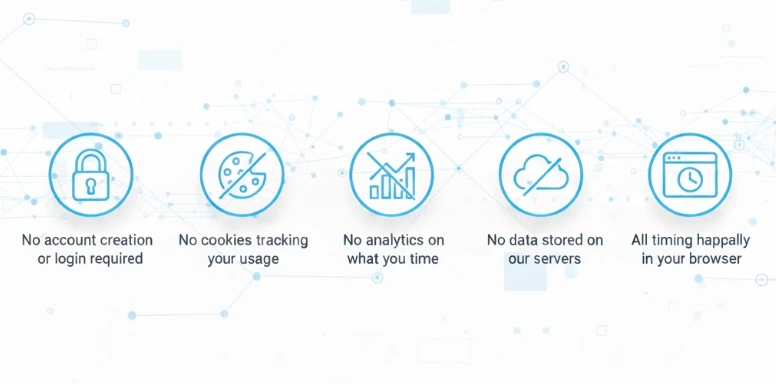
We respect your privacy completely:
- No account creation or login required
- No cookies tracking your usage
- No analytics on what you time
- No data stored on our servers
- All timing happens locally in your browser
Frequently Asked Questions
General Usage Questions
No. This is a web-based countdown timer that runs entirely in your browser. Simply visit the page and start using it immediately. No downloads, installations, or app store visits required.
Yes, completely free with no hidden costs. There are no premium features, subscriptions, or paywalls. All functionality is available to everyone at no charge.
Absolutely. The timer works on all smartphones (iPhone and Android) through your mobile web browser. It's optimized for touchscreen use and includes mobile-specific features like vibration alerts on compatible devices.
Yes. The timer continues counting in the background when you switch tabs or apps. You'll receive an alert when time expires, even if the timer page isn't visible. Note that some mobile browsers may pause background tabs to conserve battery, so keeping the tab active ensures best performance.
Yes. Open the timer in multiple browser tabs or windows to run several countdowns simultaneously. This is useful for complex workflows requiring multiple timing sequences.
Feature and Functionality Questions
Click the fullscreen button in the timer interface. Fullscreen mode displays the countdown with large, easy-to-read numbers, perfect for presentations or public displays. Exit fullscreen by pressing the ESC key or clicking the fullscreen toggle again.
Yes. Choose from multiple alarm tones including digital beeps, analog bells, and soft chimes. Adjust volume using the volume slider, test sounds before starting, or enable silent mode for visual-only alerts.
Vibration works only on Android devices using Chrome or Firefox. iOS devices (iPhones) don't support browser-based vibration due to Apple's restrictions. Also ensure your phone isn't in silent mode or Do Not Disturb, and that you've interacted with the page (clicked something) before starting the timer, as browsers require user interaction for vibration.
Yes. Most countdown timers allow you to copy a shareable link with your specific timer settings. Share this link with colleagues, students, workout partners, or anyone who needs to follow the same countdown. Everyone viewing the shared link sees synchronized timing.
Yes, after the initial page load. Once you've visited the timer page with internet connection, it functions offline. All core features including countdown, alerts, and settings work without connectivity. Sharing features and external links require internet access.
Customization Questions
You can typically set countdowns up to 99 hours, 59 minutes, and 59 seconds—more than four full days. This accommodates everything from quick one-minute tasks to multi-day project deadlines.
Most timers support countdowns as short as one second. This precision enables timing very brief activities like photography exposures, sprint starts, or reaction time exercises.
Standard countdown timers measure elapsed time periods (like 30 minutes from now). For countdowns to specific calendar dates or times, look for "countdown to date" features that calculate remaining time until a particular moment.
Yes. Pause the timer, adjust your desired duration, then resume. Some timers allow adding or subtracting time without pausing using keyboard shortcuts (+ and - keys).
Technical Questions
Check these common issues:
- Volume is turned up on your device
- Browser tab isn't muted (check the mute icon on the tab)
- Sound is enabled in timer settings
- Browser has permission to play audio (some browsers block autoplay)
- Test the alarm using the test function before starting your countdown
Yes. Most timers support:
- Space bar: Start/pause
- R: Reset
- F: Fullscreen toggle
- +/-: Add or subtract time
- ESC: Exit fullscreen or stop
Yes, all modern browsers support countdown timers: Chrome, Firefox, Safari, Edge, Opera, Brave, and Samsung Internet. Ensure JavaScript is enabled and your browser is reasonably up-to-date (within the last 2 years).
No. Countdown timers use minimal system resources and battery power. They're far more efficient than video streaming or games. If battery conservation is critical, reduce screen brightness or use the timer in a non-fullscreen mode.
Productivity and Usage Questions
Recommendations for those new to the Pomodoro Technique generally suggest Pomodoro sessions of 25 minutes. However, optimal duration varies by individual and task. Start with 25 minutes for focused studying, then experiment with 30, 45, or even 50-minute sessions to find what works best for your concentration patterns.
Set a 25-minute countdown timer and work with full focus until it rings. Take a 5-minute break, then start another 25-minute session. After completing four pomodoros, take a longer 15-30 minute break. Track your completed sessions to measure daily productivity.
Yes, countdown timers are excellent for children. Use them for:
- Homework sessions (15-20 minutes)
- Screen time limits (30-60 minutes)
- Timeout periods (1 minute per year of age)
- Bedtime routine countdowns
- Activity transitions (5-minute warnings) Visual countdowns help children understand time passage and build time management skills.
Countdown timers overcome procrastination by reducing the perceived effort of starting. Commit to just 5 or 10 minutes—this low commitment makes starting easier. Most people continue working beyond the initial timer once they've begun, as starting is often harder than continuing.
Yes, countdown timers are essential for structured workouts:
- HIIT intervals (40 seconds work, 20 seconds rest)
- Rest periods between sets (60-90 seconds)
- Workout duration tracking
- Circuit training rotations
- Stretching holds (30-60 seconds per stretch) Precise timing ensures consistent training intensity and proper recovery.
Comparison Questions
A countdown timer counts DOWN from a set duration to zero (25 minutes → 0 minutes). A stopwatch counts UP from zero, measuring elapsed time (0 minutes → however long you run). Use countdown timers when you have a specific duration in mind; use stopwatches when you're measuring how long something takes.
Online countdown timers offer several advantages:
- No batteries required
- More accurate timing
- Customizable alerts and sounds
- Available anywhere with a device
- Free (no purchase necessary)
- Multiple timers simultaneously
Physical timers can be beneficial for reducing screen time or when the audible ticking helps maintain focus. Choose based on your specific needs and environment.
Countdown timers provide several cognitive benefits:
- Eliminate decision fatigue about when to stop
- Create visible urgency that improves focus
- Remove the mental math of calculating elapsed time
- Provide clear completion signals
- Prevent "just five more minutes" drift Checking the clock requires conscious effort and calculation; countdown timers handle this automatically.
Additional Productivity Tools
⏱️ Stopwatch
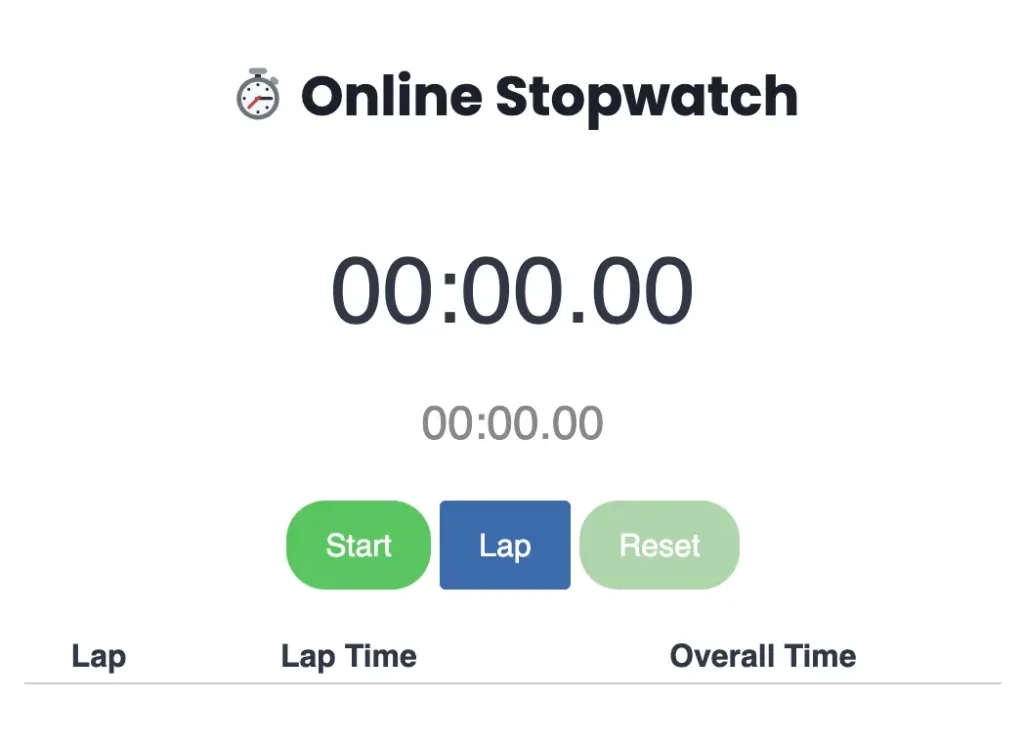
Need to measure elapsed time instead of counting down? Our stopwatch tool tracks how long activities take with precision timing. Perfect for:
- Measuring task duration for better time estimates
- Tracking split laps in running or swimming
- Recording meeting lengths
- Timing presentations or speeches
- Monitoring attention span and focus duration
🔢 Number Counter
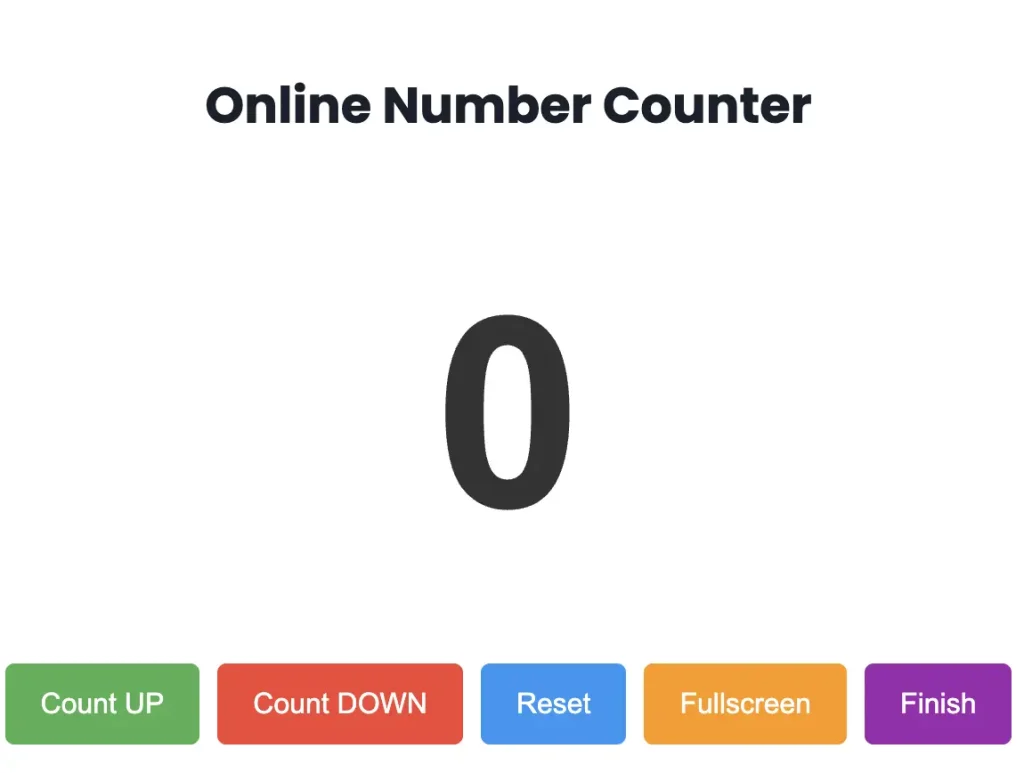
Track increasing or decreasing numbers for various purposes:
- Counting exercise repetitions
- Tallying event attendees
- Classroom student counters
- Inventory management
- Goal progress tracking
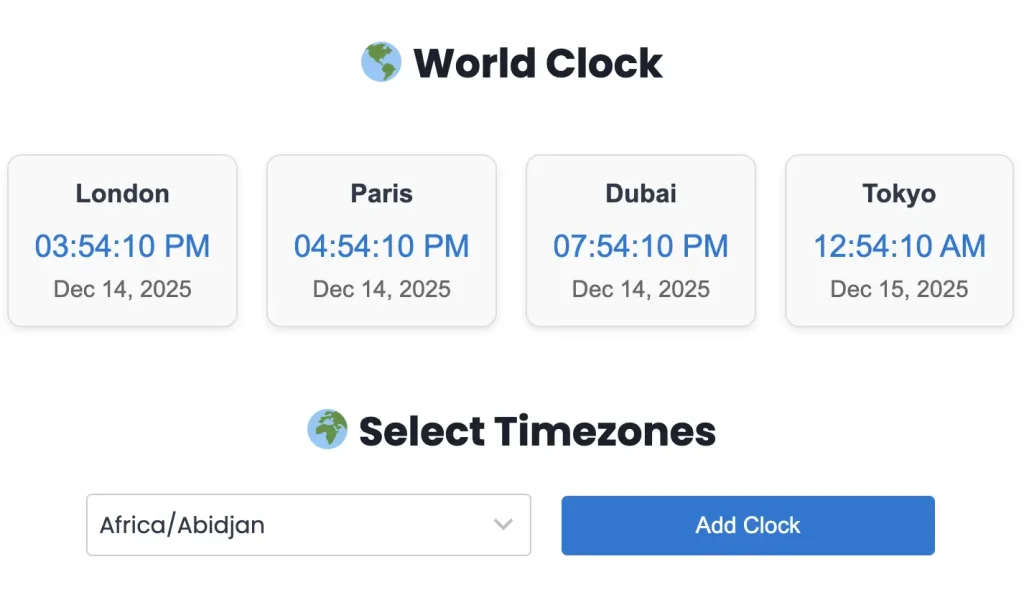
🌎 World Clock
Check current time across global cities for remote teams and international coordination:
- Schedule meetings across time zones
- Track international project deadlines
- Coordinate with global clients
- Manage distributed team availability
- Plan international calls without confusion
Why Choose Our Countdown Timer?
Simplicity Without Sacrifice
We believe the best tools get out of your way. Our countdown timer offers powerful features without overwhelming complexity. No cluttered interfaces, no unnecessary options—just the timing functionality you need presented clearly and accessibly.
Fast and Lightweight
The timer loads instantly and runs smoothly on all devices. We've optimized every aspect for speed, ensuring no lag when starting, pausing, or resetting your countdown. Lightweight design means minimal battery usage and fast performance even on older devices.
Continuous Improvement
We regularly update the timer based on user feedback and emerging best practices in time management. Features are tested thoroughly before release to ensure reliability when you need it most.
Accessible Design
Designed with accessibility in mind:
- High contrast numbers for visibility
- Keyboard navigation support
- Screen reader compatible
- Works with assistive technologies
- Clear visual and audio alerts
- Adjustable text sizes in fullscreen mode
No Distractions
Unlike many free tools, our countdown timer includes:
- No advertisements interrupting your focus
- No pop-ups or promotional messages
- No account creation pressure
- No data collection forms
- No email list requests
- Pure, focused functionality
Final Thoughts: Making Every Minute Count
Time is the one resource we cannot renew or replenish. A countdown timer doesn't create more time, but it helps you use the time you have with greater intention and effectiveness. Whether you're a student preparing for exams, a professional managing complex projects, an athlete training for performance, or simply someone wanting to waste less time—structured timing creates clarity.
Start with small experiments. Try one 5-minute focused session today. Experience how visible time limits change your approach to tasks. Notice how the ticking countdown keeps you engaged. Feel the satisfaction of completing a full focused session.
The best productivity system is the one you actually use. Our countdown timer removes every barrier between you and better time management—no accounts, no downloads, no learning curve. Just open, set, and start.
Your time is valuable. Use it well.